iPhone
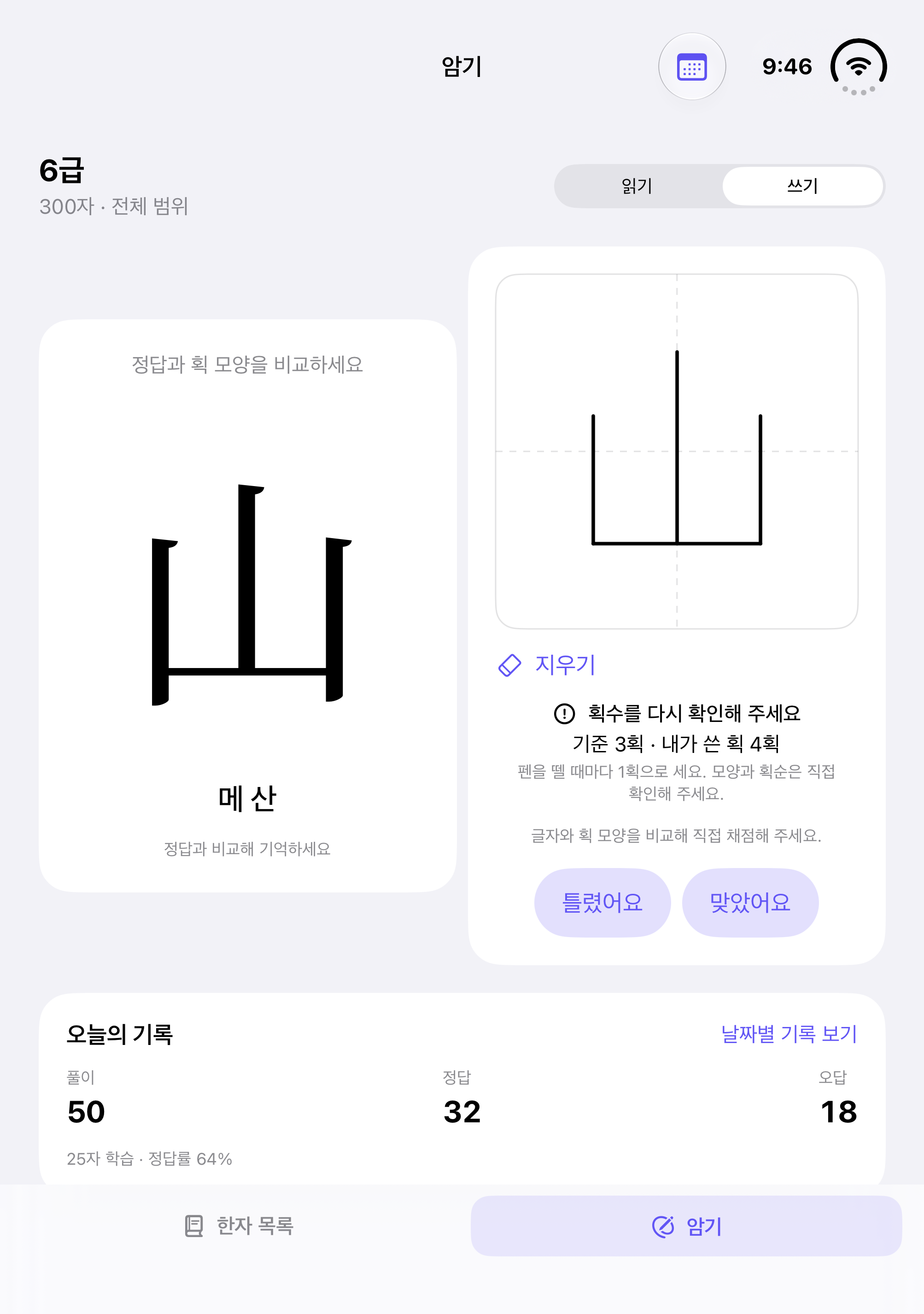
Write, compare and move to the next character.
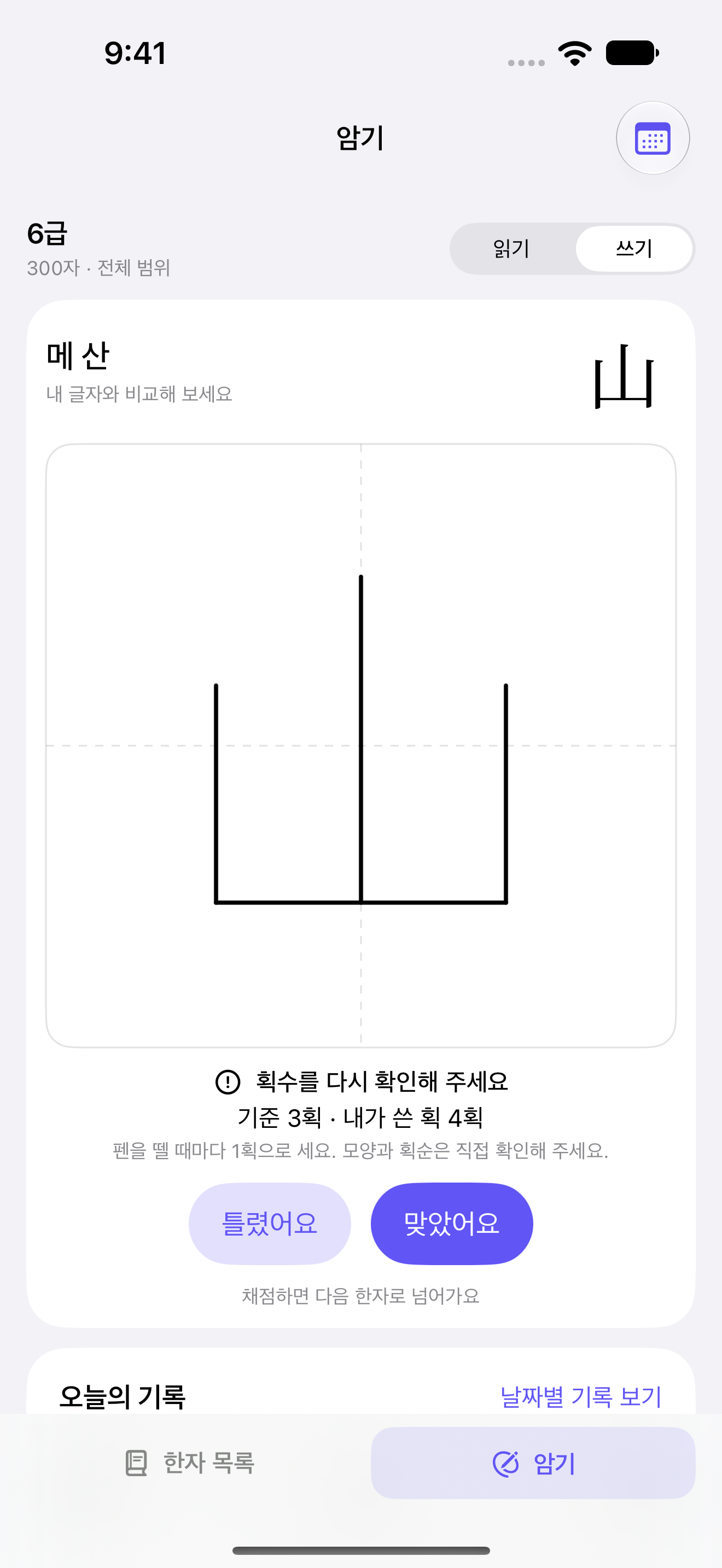
Writing and self-assessment in one card
HANJAFRIEND
Try recalling a character before copying it.
Read, write and revisit Hanja.
Start at your own grade, with no complicated setup.
iPhone · iPad · iPhone Duo / iOS and iPadOS 17 or later
Apple Pencil works on compatible iPads.
YOUR DEVICE, YOUR WAY.
Keep everything together on a small screen, or compare side by side on a wider one.
Write, compare and move to the next character.
Writing and self-assessment in one card
More room to write and compare side by side.
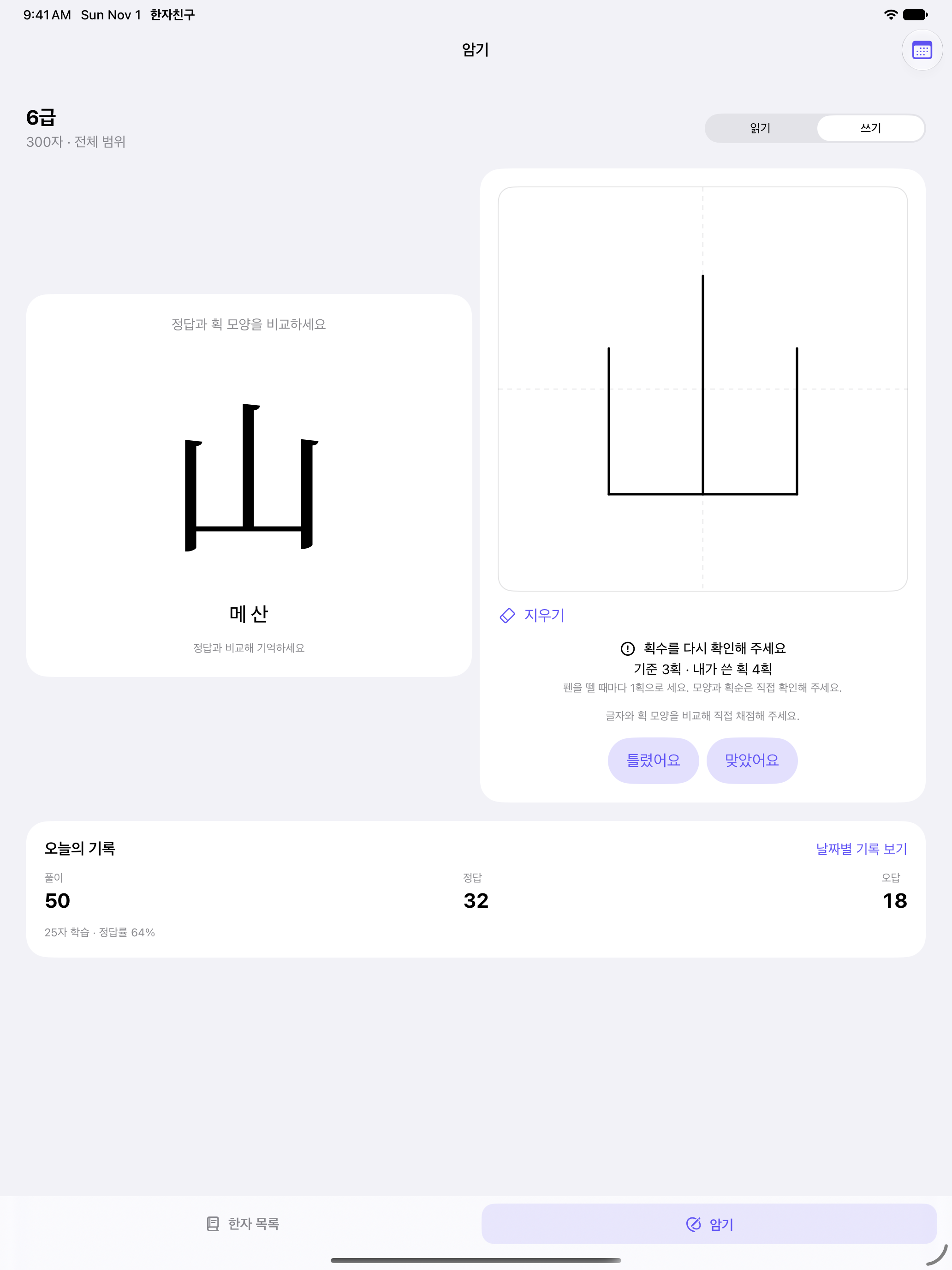
Finger · Compatible Apple Pencil
A comfortable layout, folded or unfolded.
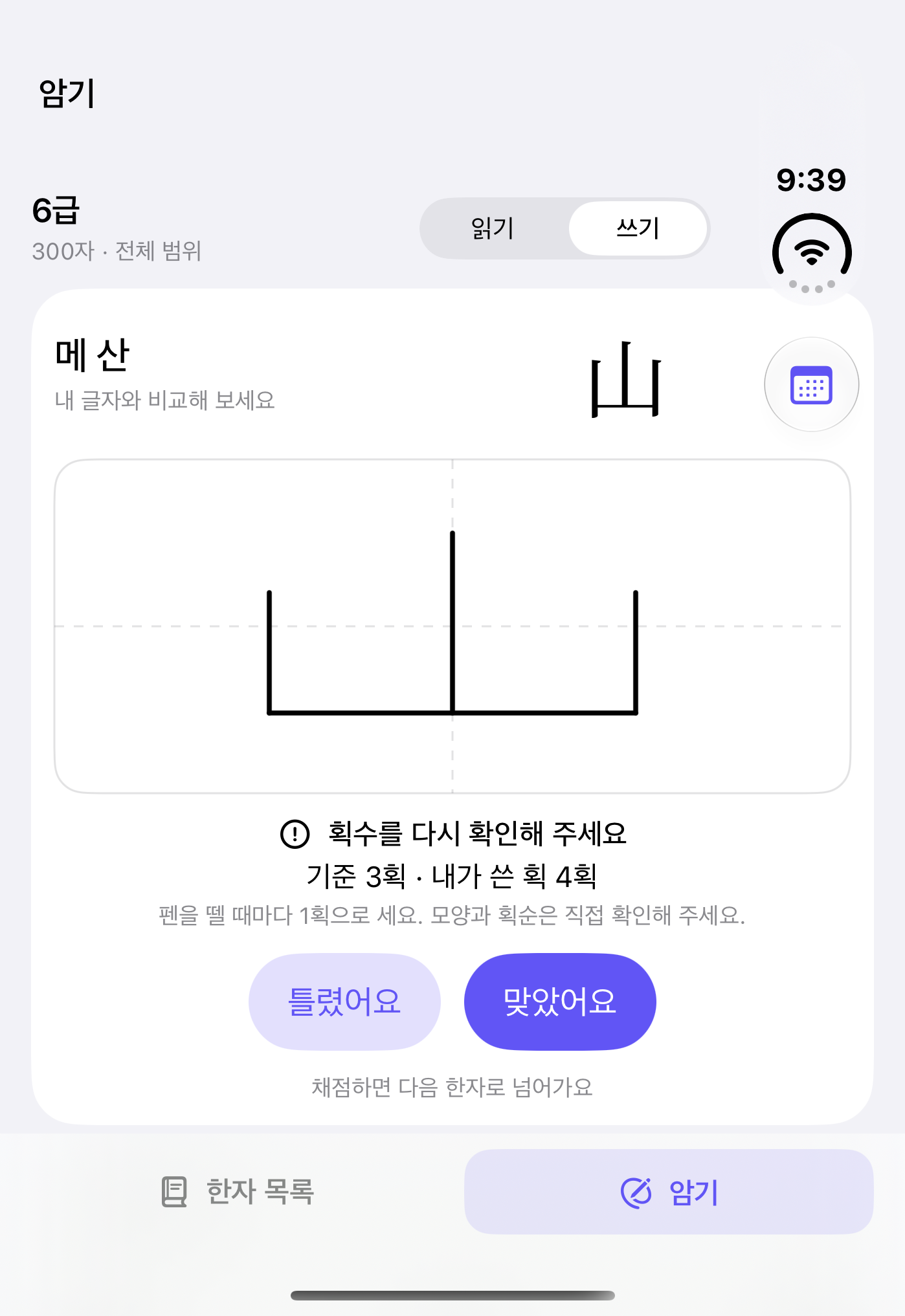
Left: folded · Right: unfolded
Actual app screens, shown in Korean. The learning records and handwriting are examples used to demonstrate the features.
RECALL, WRITE, REMEMBER.
Writing starts with the Korean meaning and reading as prompts. Reveal the answer when you are done and compare it with your handwriting. In reading practice, look at a character and enter its Korean reading.
A LITTLE CLEARER, EVERY DAY.
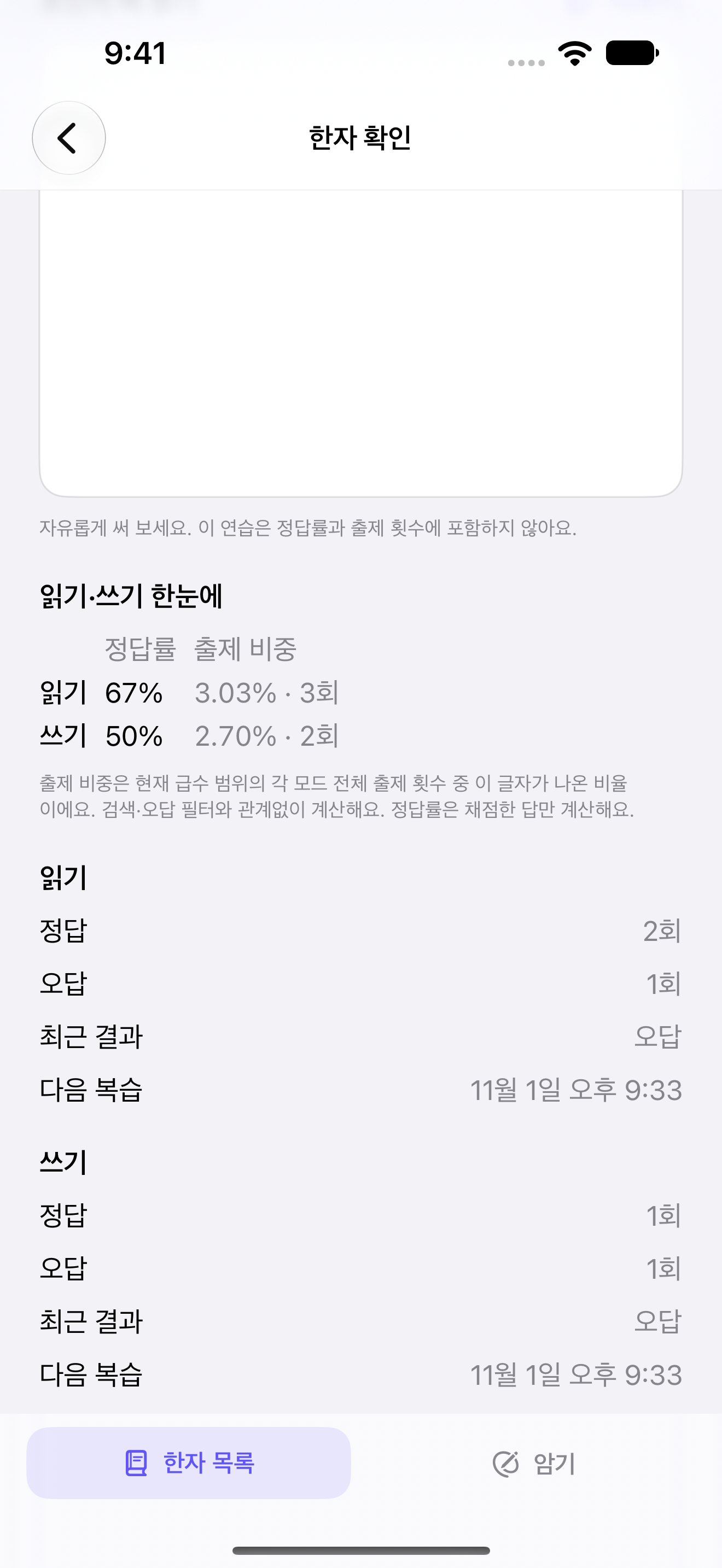
Compare reading and writing accuracy, practice share and attempt counts for each character. Review mistakes and give less-practised characters another turn.
These are actual app screens. The learning records are examples used to demonstrate the features.
GOOD TO KNOW.
The 한국어문회 exams include different question types, such as readings and meaning-plus-reading answers. Learn both meanings and readings, and consult the official exam guides and study materials.
No. Reveal the answer, compare the character shapes and assess your answer yourself. Automatic handwriting recognition and stroke-order grading are not provided.
The app offers writing practice for every character in the selected grade. This may differ from the writing coverage of an actual exam, so consult official materials too. HanjaFriend is not an official 한국어문회 app.
Learning records are stored on your device and can sync through CloudKit between devices using the same iCloud account. Sync depends on your account, network and system settings. Reading and writing attempts and results are recorded separately. Handwriting images are not saved.
Send us questions about using the app or character notation.
Email support ↗